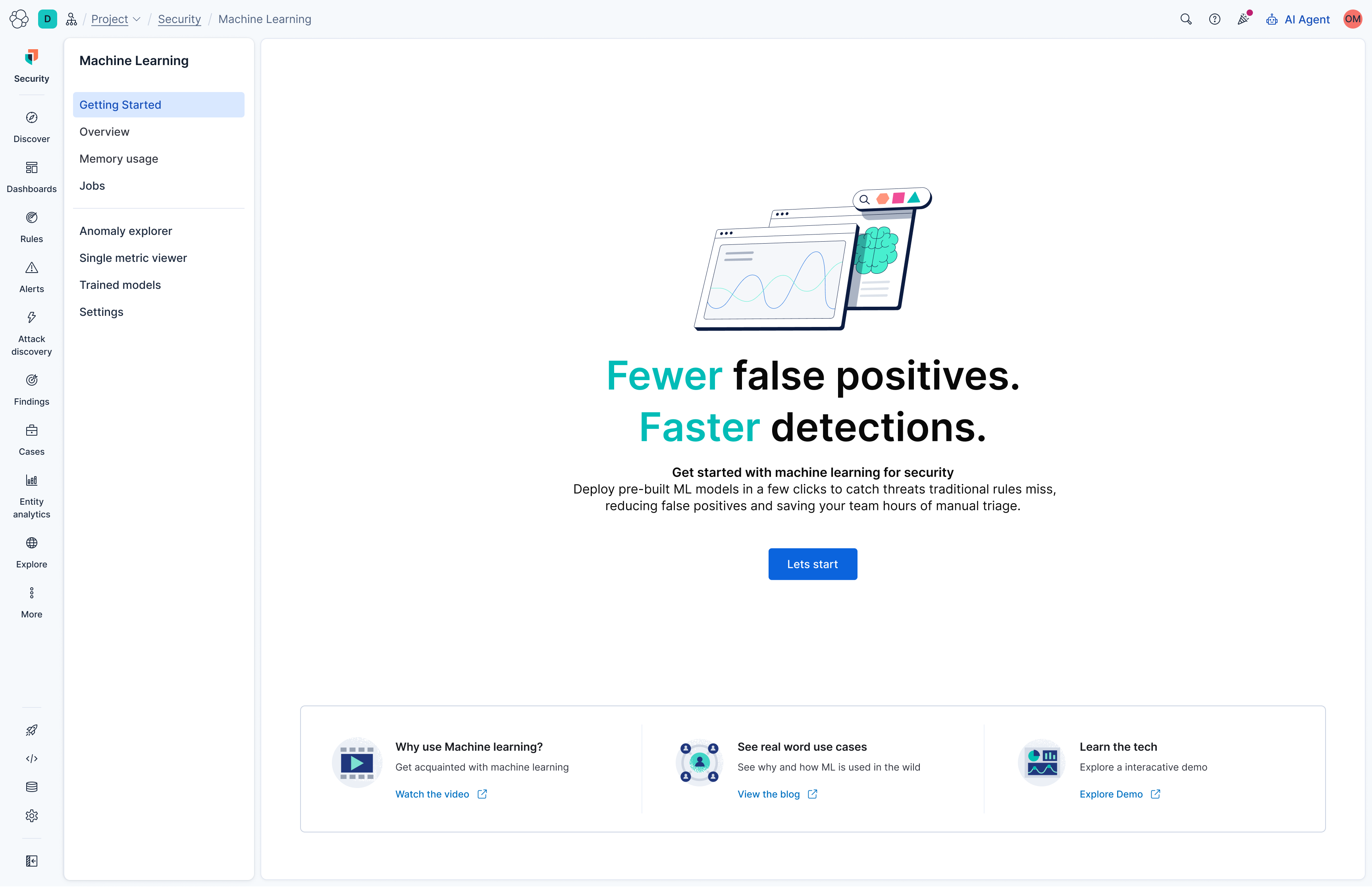
Elastic Security's machine learning based anomaly detection had a real adoption problem, usage was falling among both new and existing customers. I was asked to take ownership of fixing it: research, design, and lead the redesign of the getting started experience end to end.
25% increase in usage among existing customers, 40% increase among new customers, over the following 12 months.
02 The Situation
This project didn't start with a brief. It started with a UX Director being handed a declining usage metric, no Product Owner assigned, and no agreed definition of what was actually wrong. Before any design work could start, the problem itself had to be defined.
"UX Director to take full ownership and lead an increase in usage. No Product Owner. The problem itself was undefined."
That ambiguity set the process: find out why usage was actually falling before deciding what to build, rather than jumping straight to a redesign of the existing screens.
04 The Problem
Machine learning usage was decreasing across both new and existing Elastic Security customers. The feature's entry point was part of the issue: Machine Learning lived as a toggle inside Stack Management → Spaces → Features, a settings screen most users had no reason to ever visit.
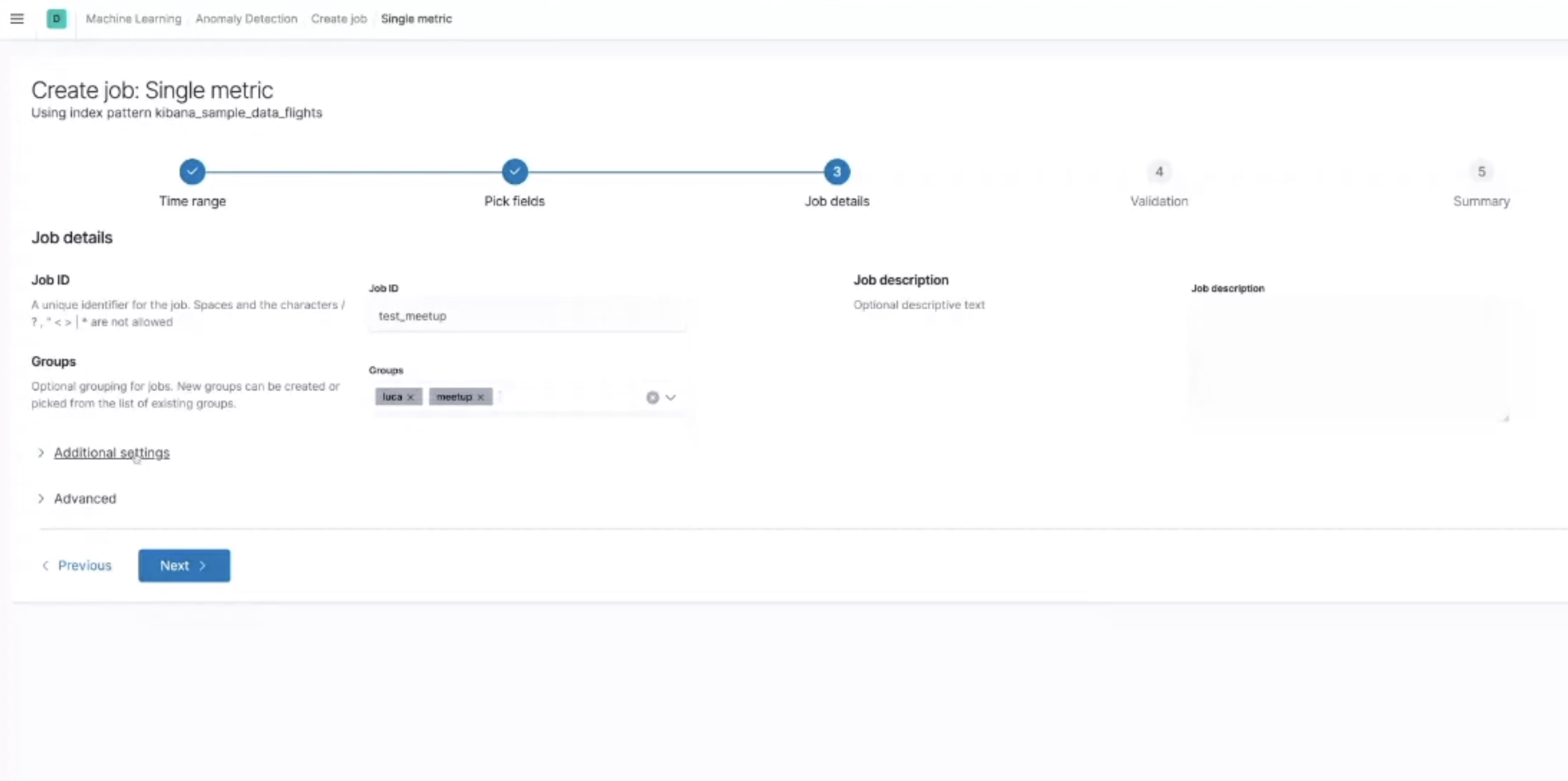
Once found, the page that greeted users was dense with configuration options before explaining what any of it was for, no clear "do this first," and no visible outcome to show what turning on machine learning would actually get them.
I ran a new round of research concentrating specifically on the detection and rule engineering experience, where machine learning jobs would need to sit inside an analyst's existing workflow. Two structural issues compounded the friction: users didn't understand the probabilistic nature of the underlying data, and the product's language didn't match how analysts actually talk about detection.
I was unclear about the benefits of using this and how it would help me, other than just giving me extra work.
Senior Analyst
I turned it on, then what? I didn't know what to do next.
SOC Manager
I don't know what this catches that my existing rules don't.
Detection Engineer
06 What We Discovered
Even motivated users didn't know how to start, the first step was never obvious.
ML jobs felt bolted on, not part of the detection engineering workflow users already trusted.
No clear sense of outcome, what would this actually catch that their existing rules didn't?
07 Journey Map
Plotting the existing journey against the research findings made the drop off points explicit, giving specific moments to target in the redesign rather than a vague "make onboarding better" brief.
08 The Solution
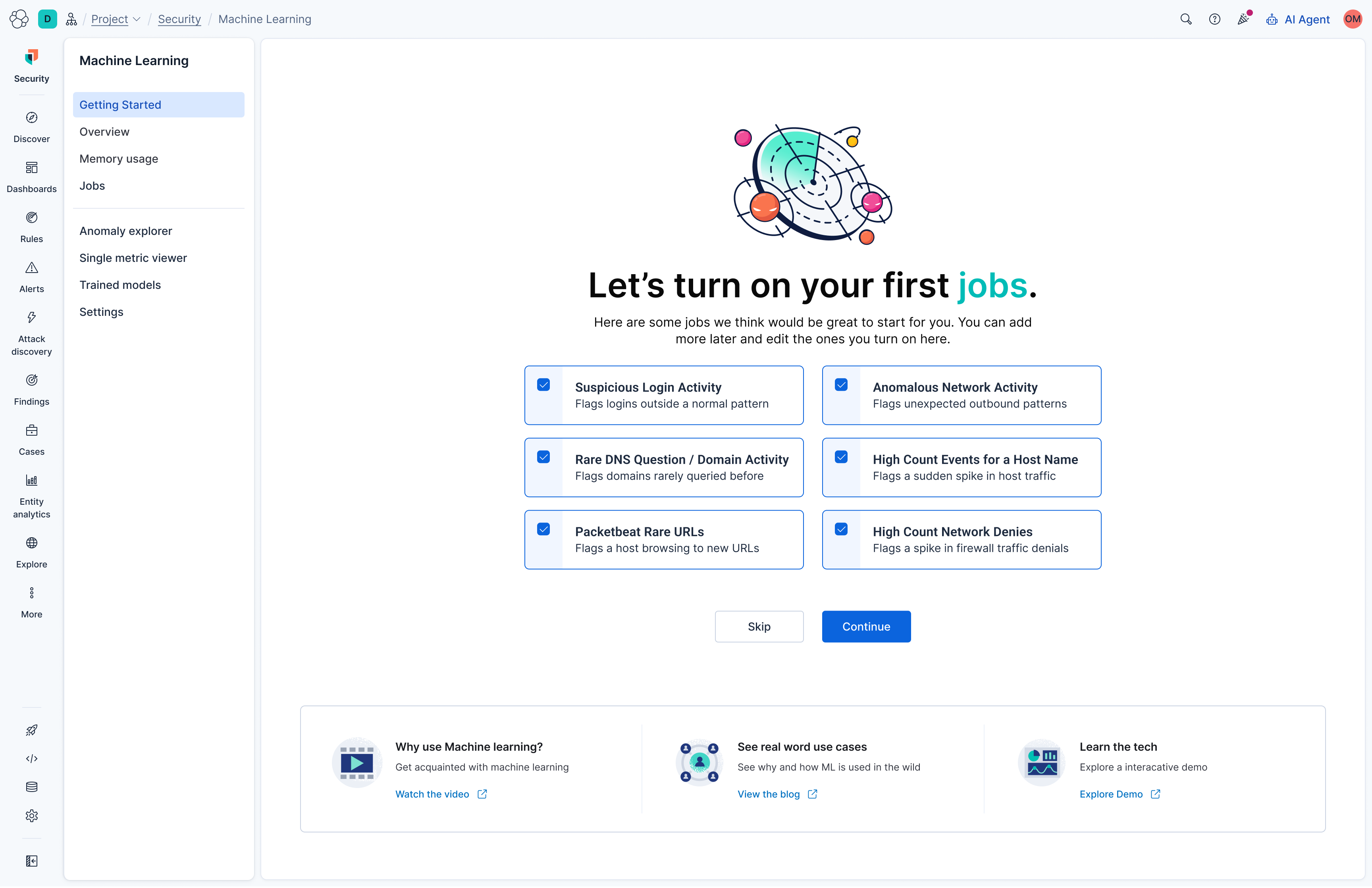
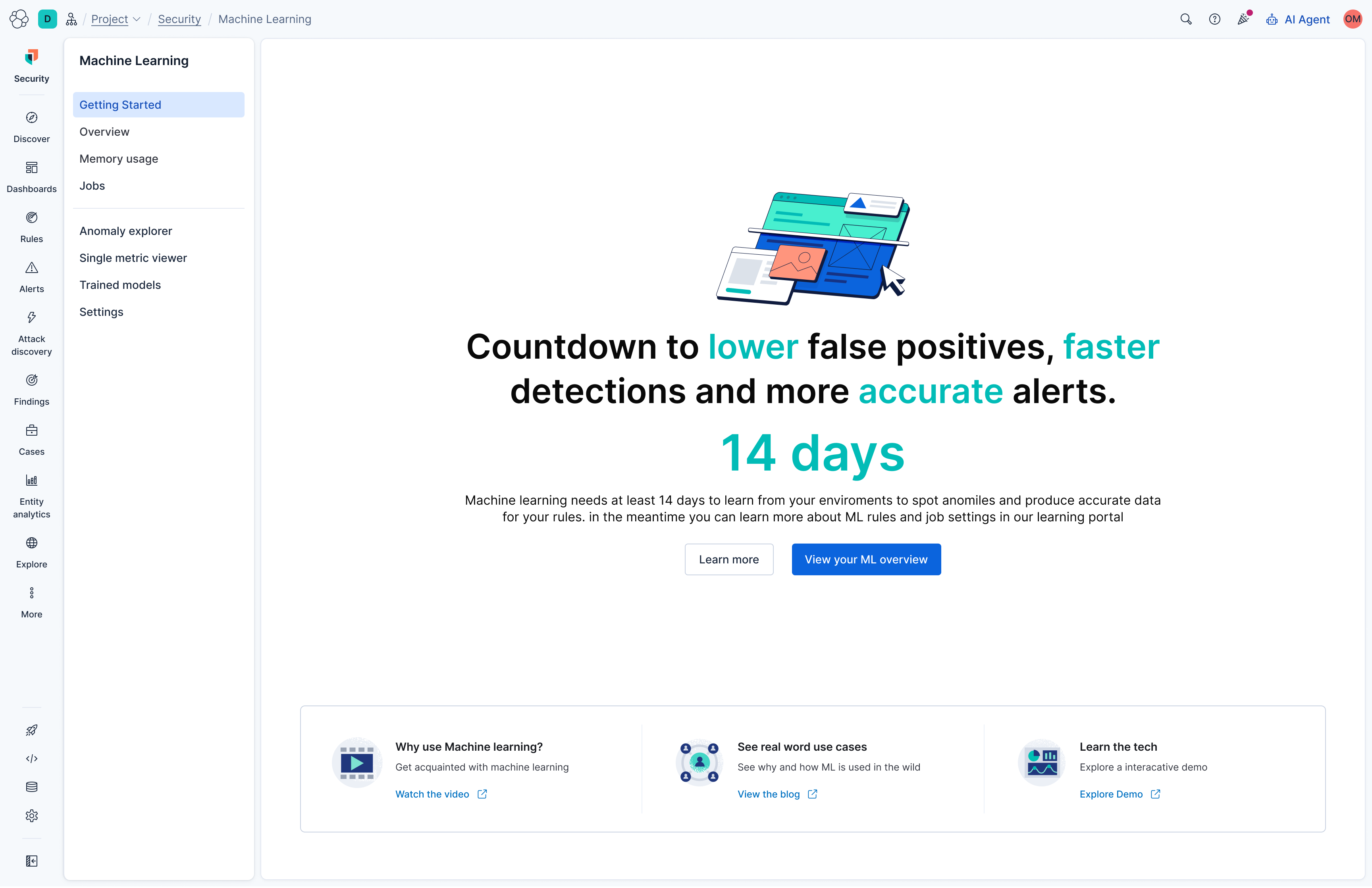
The redesigned flow leads with the outcome before asking for a single setting, then narrows configuration down to a handful of sensible decisions. It closes by setting expectations on the 14 day learning period, so the last thing users see before handoff explains why results won't appear immediately.
The flow opens by naming the outcome, fewer false positives and faster detections, rather than a settings screen. This gives users a reason to continue before asking anything of them.
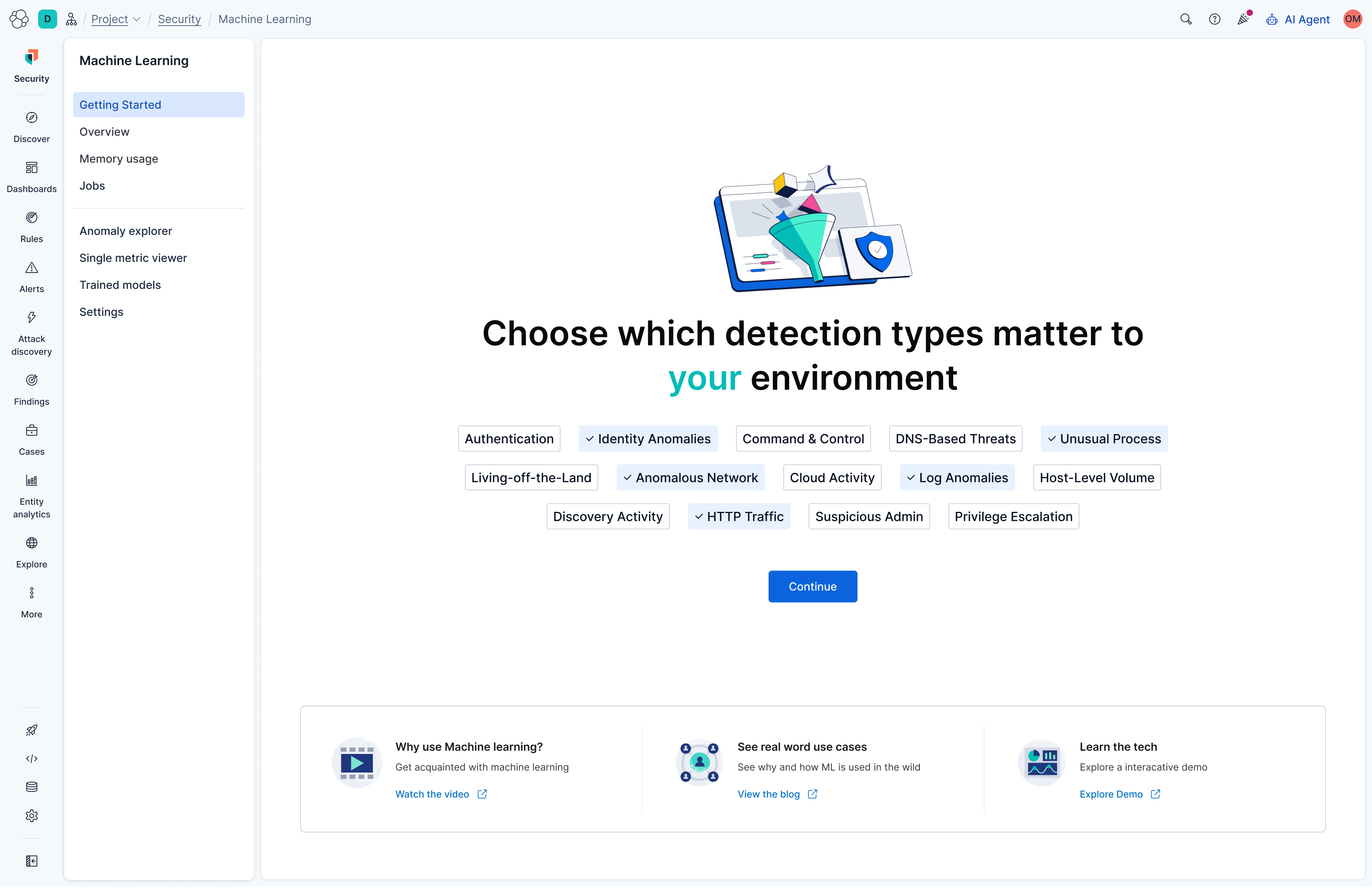
The first real decision lets users tune which detection types matter to their environment, starting from sensible pre selected defaults rather than a blank slate.
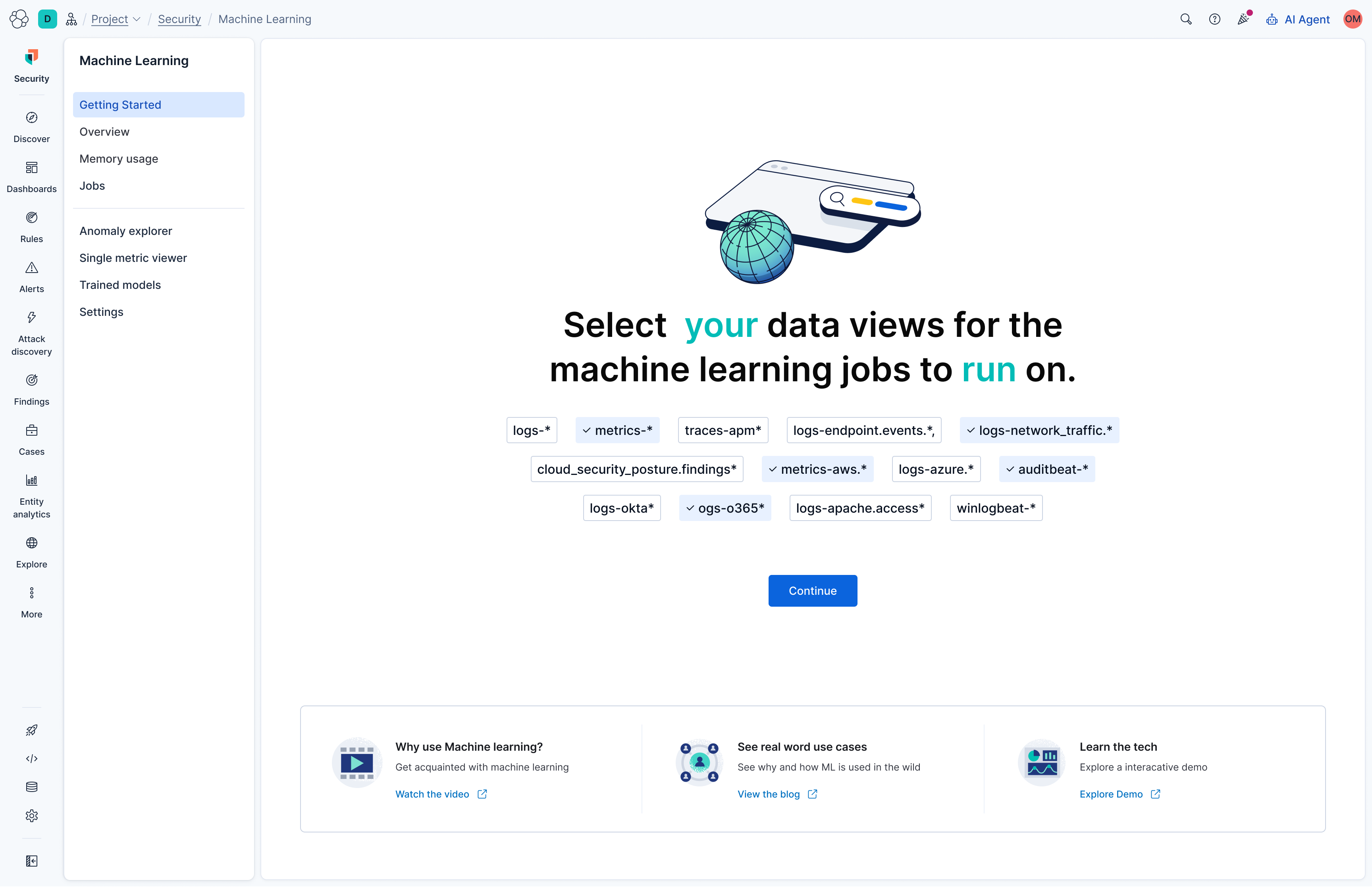
Data views likely to be relevant are pre checked based on what's already connected, turning a technical selection task into a quick confirmation.
Rather than an empty configuration screen, users are shown a curated set of recommended jobs, pre selected with sensible defaults. The decision is "keep these on or not," not "build a job from scratch."
The flow closes by naming the 14 day learning period explicitly, right as users hand off into the running product, so a quiet dashboard for the first two weeks reads as expected progress rather than a broken feature.
09 What I Learnt
Users didn't disengage because the settings were hard, they disengaged because nobody told them what they'd get first.
Breaking the decision into small, sequential choices lowered the cognitive load at every step.
A 14 day learning period is invisible unless you say so. Surfacing it directly kept users from abandoning the feature midway.
Deferring advanced settings to a later phase didn't cost us power users, it got everyone else to a running job faster.
10 Results
Reworking the getting started flow didn't just move the needle, it redefined what success looked like for this feature. Numbers that were previously our stretch targets became the new baseline.