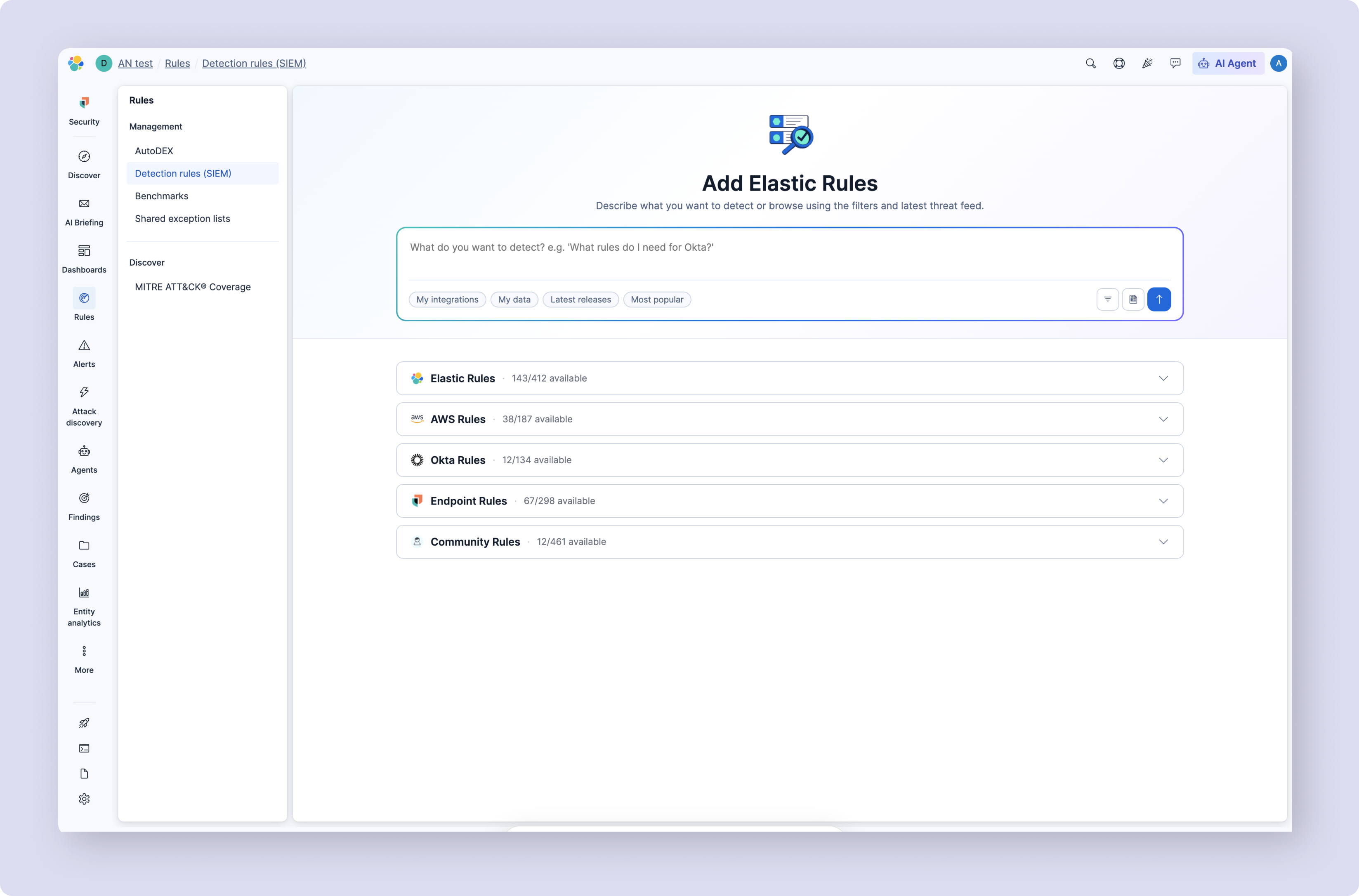
Elastic's detection rule library had grown to hundreds of rules spanning multiple types but search was keyword only. If you didn't know the exact rule name or tag, you were stuck.
I redesigned rule discovery around semantic search — natural language queries that understand intent, not just string matching. The result: analysts find the right rules faster, with less expertise required.
32% reduction in time to first rule activation. 40% fewer search refinement cycles.
02 My Role
Before redesign, rule discovery support tickets were the most common category in the Elastic Security queue. During research with 15+ analysts across enterprise and mid-market accounts, the same pattern repeated: users started in the rule catalogue, hit an overwhelming filter panel with no clear entry point, and either asked a colleague or gave up. Two findings drove every design decision that followed.
Finding 1 → Decision → Outcome: Users didn't understand why different rule types lived in different places. From their perspective, a detection rule is a detection rule — the internal taxonomy was invisible. This drove the unified architecture: one surface, organised by intent rather than internal structure.
Finding 2 → Decision → Outcome: Less experienced analysts weren't failing at search — they were failing at knowing what to search for. This drove semantic search: route around the taxonomy entirely by understanding query intent rather than matching keywords.
Rule discovery
Users struggled to locate relevant rules within a large and growing catalogue with no guidance to help them navigate it.
Fragmented surfaces
Different rule types were accessed and managed in separate areas, creating confusion and inconsistent workflows.
Cognitive overload
Dense metadata, technical terminology, and extensive filtering created decision fatigue at every step.
Expertise dependency
Selecting the right rules required deep domain knowledge many users simply did not have.
Users with deep Elastic knowledge navigated through muscle memory. Everyone else lost 20+ minutes per session or escalated to colleagues.
04 Process
Step 01
Discover & Empathize
Step 02
Assumption Mapping
Step 03
Define & Frame
Step 04
Design & Validate
Full rule ecosystem audit + stakeholder interviews across product, engineering, and security. Three friction spikes mapped: orientation confusion on landing, inability to assess rule relevance, and configuration steps that assumed expertise users didn't have.
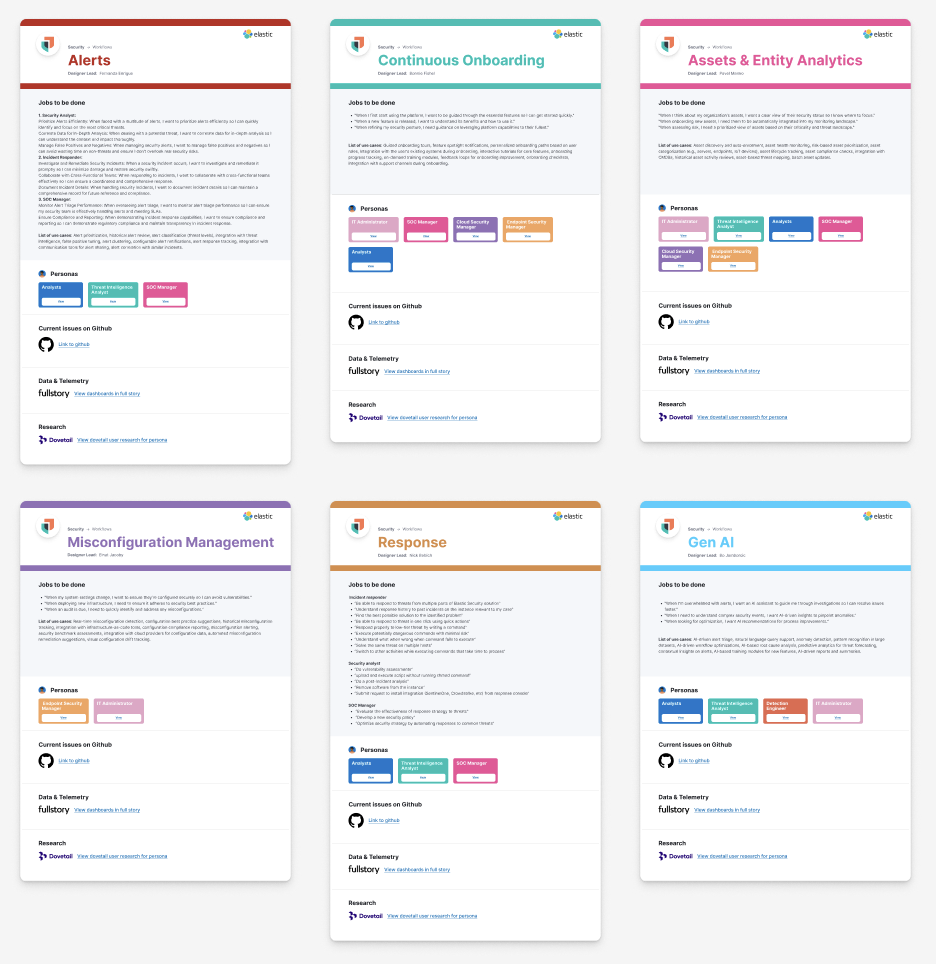
Built on 25+ prior user interviews: Figma-based Workflow artefacts now used company-wide at Elastic, capturing JTBD, personas, data sources, and live issues per security role.
Two research rounds — open discovery first, then concept validation. 15+ analysts across enterprise and mid-market, varying expertise levels.
I know the rules I need exist somewhere. I just spend 20 minutes trying to find them every time.
Senior Detection Engineer · Enterprise
The filtering is powerful but I need to already know what I'm looking for. If I don't, I'm lost.
SOC Analyst · Mid-market
I've got prebuilt rules, custom rules, shared rules, all in different places. I can never remember which surface to go to.
Security Engineer · Enterprise
If the AI could just look at my data sources and tell me what to enable, that would change everything for my junior analysts.
Head of Security · Scale-up
Key disproved assumption: fragmentation was a navigation problem. Research showed it was a mental model problem — users had no coherent picture of the rule landscape, so navigation improvements alone would have failed.
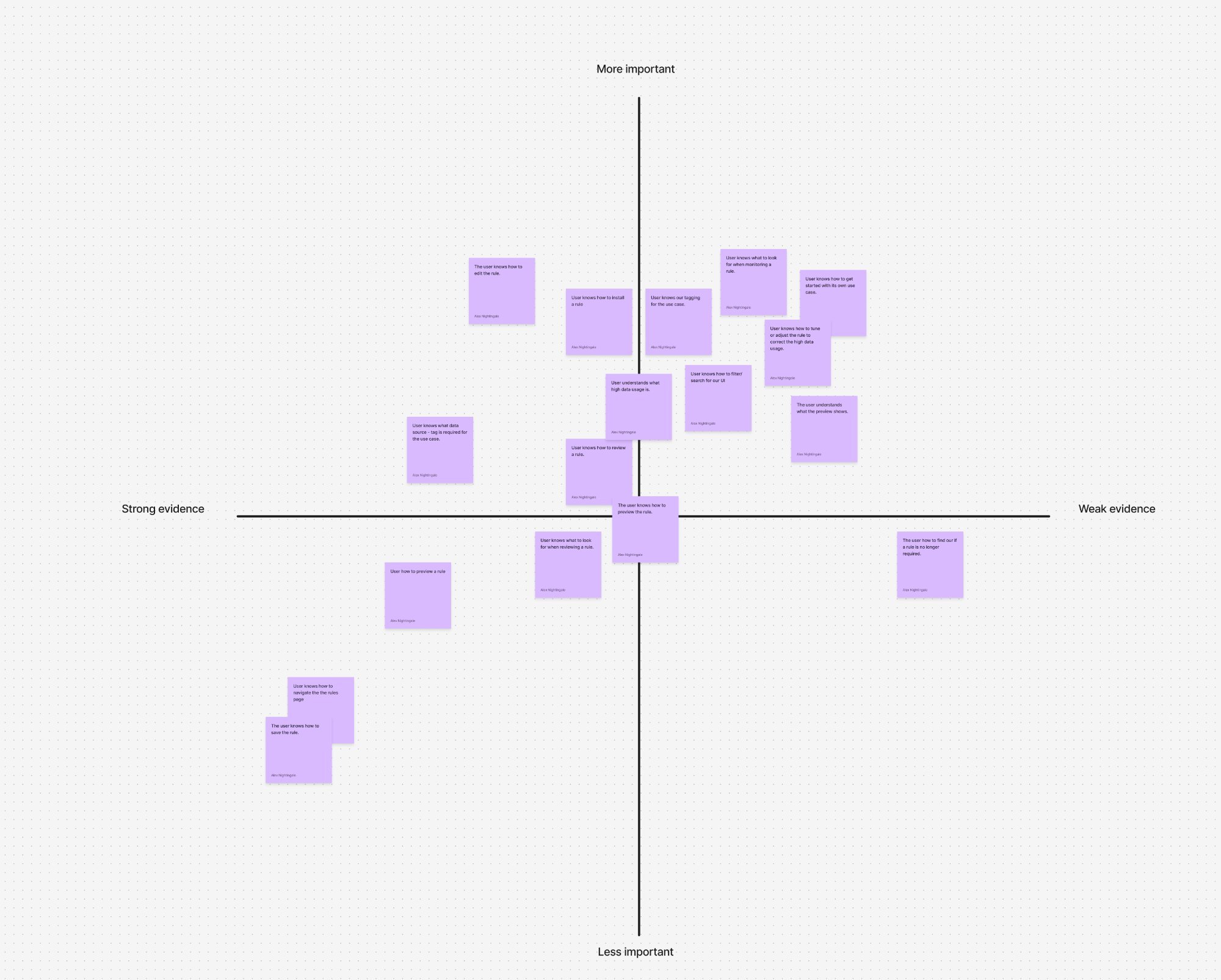
The most important disproved assumption was that fragmentation was a navigation problem. Research made clear it was a mental model problem — users had no coherent picture of what the rule landscape looked like, so they couldn't navigate it regardless of how we structured the menus. This reframed the entire design challenge.
Activation
Time to First Rule
Reduction in time from session start to first rule enabled. Target: meaningful improvement vs baseline.
Discovery
Search Refinement Cycles
Reduction in the number of filter and search iterations needed to find a relevant rule.
Adoption
Multi-rule-type Usage
Increase in accounts using more than one rule type — a signal that unification is working.
Confidence
Rule Management Satisfaction
Improvement in satisfaction scores specifically tied to rule management across all skill levels.
Rather than testing with static mockups, I built a working prototype directly from the Kibana codebase using Cursor, populated with accurate dummy data matching the structure of real detection rules. This gave us production-accurate behaviour from day one — semantic search ranking, result grouping by rule type, and filter interactions all behaved as they would in the shipped product.
Testing sessions revealed specific ranking issues that no Figma prototype could have surfaced: rules with partial keyword matches were ranking above more semantically relevant rules, and the unified grouped view was confusing for users who expected results ordered by recency. Both were fixed before any engineering sprint began. The prototype also let less experienced analysts experience semantic search for the first time with real rule names — their reactions informed the final result card design more than any other research input.
Architecture first — a unified rule library organised by intent, not internal structure. Progressive disclosure handled expert depth without hiding capability from expert users. I mapped three user journeys before any wireframes, using them as a research artefact in stakeholder and user sessions.
Three approaches were evaluated before committing. (1) Richer faceted filtering: ruled out because the problem wasn't navigation — it was vocabulary. Users without the terminology couldn't construct a useful filter even with better UI. (2) A recommendation sidebar: prototyped and tested — analysts found it helpful as a discovery aid but it didn't solve the zero-to-one problem. A user with no rules enabled had no context to generate a recommendation from. (3) A conversational copilot accepting environment-level inputs — "I'm running Okta and AWS CloudTrail" — returning opinionated, prioritised recommendations. This is what analysts responded to. The experience shifted from exploration to guided activation.
The copilot is the most consequential design decision on this page. It works by reading a user's installed integrations and active data sources — Endpoint agents, cloud connectors, network sensors — and cross-referencing them against the rule catalogue to surface what's relevant and currently disabled. A user with an AWS integration installed would see critical cloud threat rules they hadn't enabled. A user with Endpoint on Windows would see lateral movement and execution rules ranked by coverage gap severity.
The recommendation surfaces inline as a dismissible card within the unified rule list — not a modal, not a sidebar. This placement was the result of prototype testing: a persistent sidebar panel caused engineers to ignore it as background noise after the first session. An inline card that appeared after a search or filter action, with a clear "View 12 rules for your environment →" CTA, was acted on significantly more often.
The wrong version of this feature would have been a recommendations tab — a separate surface users had to navigate to. Research made clear that discovery friction was already the core problem. Adding another surface to navigate to would have reintroduced the exact problem we were solving.
Based on prototype testing with 8 participants, round 2 validation sessions — internal Elastic Security users at varying expertise levels.
The design was validated using a real Cursor prototype built directly from the Kibana repository with accurate dummy data — not a static Figma mockup. This gave us production-accurate behaviour to test with real users, letting us iterate on the semantic search ranking, result grouping, and filter interactions at speed. What would have taken weeks of speculation was answered in the first testing session.
Prototype testing confirmed it. Less experienced users described semantic search as the first time they could find rules relevant to their environment without needing to know Elastic's internal terminology.
05 Results
1
How measured: task-based usability testing, 15+ participants. Production analytics post-launch.
2
How measured: search interaction analytics; customer success retrospective.
3
How measured: product analytics, 6 months post-launch. In-product CSAT, N=87.
Signing Off
Users had no coherent picture of the rule landscape. Fixing navigation without fixing the mental model would have shipped the wrong solution.
Removing the keyword dependency extended the product to users without deep platform expertise. Expanding who the product works for is a different category of outcome than improving it for existing users.
Progressive disclosure hides complexity until needed — it doesn't remove it. Expert depth was still there, just not blocking everyone else.
Building from the Kibana repo with accurate dummy data meant we tested real search behaviour, not a simulated version of it. The Cursor prototype answered questions about ranking and result grouping that no static mockup could have surfaced.